Tampilkan postingan dengan label Epson. Tampilkan semua postingan

Kamis, 14 November 2013

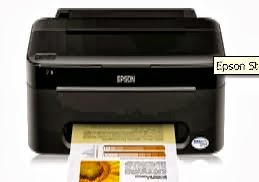
Free Download Epson Stylus TX121X Driver Printer

Free Download Epson Stylus TX121X Driver Printer Update Support Operating System, Windows Xp, Windows Vista, Windows 7 below, This printer is the successor series Epson TX111 inkjet all-in-one, with a function that can print, copy and scan color and black and white. For Epson TX121 printer print speed is 28 pages per minute for black and white documents and 15 pages per minute for color documents.

Latest Epson print quality TX121 sabgat good because in design with Epson Micro Piezo print head with Variable Sized Droplet Technology (VSDT) that allows the print head to eject ink droplets in three sizes. So the results are very satisfactory photo prints. The downside of Epson Printer TXT121 is if there is an error on the printer, the scanner can not be used and if the unstable electricity Epson TXT121 easily damaged on the mainboard.

You can Free Download Epson Stylus TX121X Driver Printer

Rabu, 13 November 2013

Free Download Epson Stylus T13x Driver Printer

Free Download Epson Stylus T13x Driver Printer Update Support Operating System, Windows Xp, Windows Vista, Windows 7 below, Printer Epson Stylus T13x is the second generation of its predecessor Epson Stylus T13. This printer is an inkjet printer is fairly good in a picture or photo printing compared to other printers in its class. But this T13x Epson printer often red lights lit and the printer can not be used after a lot of printing done.

This likely caused by the chip detector system printer cartridge has run out or have reached the limit out of ink. Furthermore, to overcome this please follow these steps:

Verify the status of the cartridge runs out of ink or not. Usually when it can not be used ngeprint, already visible when the ink runs out. furthermore if it is known that its cartridges run out of ink detection chip, then the next step is:

Open Close Printer
  • Press the Resume button once (1x)
  • Wait Cartridge move to the center and stop
  • Press the Reset button on the tank infuss located right above the cartridge (one with chip cartridge) a cartridge that is not detected (which is crossed on the screen)
  • Then press the Resume button on the printer cartridge as much as the amount that is not detected, for the pressure of the latter must be long until the position of the light on the printer's color green (normal position)
  • If the green light is on and the printer goes off, a sign that the printer is ready for use
  • Next do the test print.

You can Download Free Download Epson Stylus T13x Driver Printer

Free Download Epson L800 Printer Driver

Free Download Epson L800 Printer Driver Update Support Operating System, Windows Xp, Windows Vista, Windows 7 below, New Epson L800 and advantages of this printer. EPSON is a producer who released the printer with only one infusion system. Epson L800 printer with a drip system is already known to many people in a variety of prints and the store has started being used for personal needs. Dikarnakan this printer is already designed or specifically have a drip system with original ink. So you you do not need to bother fiddling with the printer by adding hoses and tubes of ink.

Infusion printer Epson L800 is the third printer with the infusion system Epson released by the manufacturer to the market. Previous printer is Epson Epson L100 and L200 are intended to print the document was first released in October 2010.

Compared with the infusion system that we designed ourselves or the result of a printer technician infusion, Epson L800 which has been integrated with the infusion system is very helpful at all. Sdengan six cartridge consisting of cyan, black, magenta, yellow, photo (light) magenta, photo (light) cyan. which has a special place so that it is easy to unpack and set it up as a refill or be moved to another place without a messy hose.

Other advantages of the Epson L800 Printer is have features Micro Piezo technology is claimed to produce more color depth detail, smoother gradations and accurate image quality.

Here You can Free Download Epson L800 Printer Driver :

Senin, 11 November 2013

Download Driver Epson WorkForce Pro WP-4521

Download Driver Epson WorkForce Pro WP-4521

Download Driver Epson WorkForce Pro WP-4521
Epson WorkForce Pro WP-4521
Download Driver Epson WorkForce Pro WP-4521- The Epson WorkForce Pro WP-4521 features the remarkably efficient as well as durable Epson Minuscule Piezo™ print visit deliver superb print high quality while pairing multi-functional as well as networking features to boost your company and property productivity.

Epson WorkForce Pro WP-4521 is Fastest in the class: stamping black textual content in default, two-sided function, in obedience with ISO/IEC 24734. Compared to inkjet as well as all-in-ones costing US$399 (incl. tax) or less, dependant on manufacturers’ rated ISO data transfer speeds or independent testing. Comparisons use the information available during publication and therefore are for illustrative intent only.

Epson WorkForce Pro WP-4521 printer maximises your savings along with high capability ink cartridges which yield around 3, 400 pages throughout black-and-white, only USD 1. 5 cents for every page. Compared to conventional laser beam printers, you save up to 50% throughout running prices.

Reduce the hassle and time spent on replenishing paper using the optional 250-sheet papers tray which increases complete capacity for you to 580 sheets. Epson WorkForce Pro WP-4521 is Enjoy better flexibility along with both 250-sheet front paper cassette as well as 80-sheet backside paper feeder for a variety of print mass media, including simply paper, labels, envelopes as well as photo mass media.

Download Driver Epson WorkForce Pro WP-4521

Download Driver Epson WorkForce Pro WP-4521

Minggu, 10 November 2013

Free Download WorkForce WF-2510WF Driver Printer

Free Download WorkForce WF-2510WF Driver Printer Support Operasi System Windows 8/7/Vista/XP 32-Bit 64-Bit Driver Software

Download WorkForce WF-2510WF Driver Printer


Kamis, 07 November 2013

Free Download Epson K300 Driver Printer

Free Download Epson K300 Driver Printer Compatibility And System Requirements Support Windows 8/7/Vista/Xp 32bit and 64bit

Free Download Epson K300 Driver Printer Below :

Rabu, 06 November 2013

Free Download Epson L210 Driver Printer

Free Download Epson L210 Driver Printer Compatibility and System Requirements Windows XP, Vista, 7, 8 you can find and download below

Download Epson L210 Driver Printer

Senin, 04 November 2013

Free Download Epson L100 Driver Printer

Free Download Epson L100 Driver Printer for windows 8/7/vista/xp support 32bit and 64 bit

EPSON L100 driver information file controller:

  • - File name: L100_L200_x86_675HomeExportAsia_s.exe
  • - File Size: 19.49 MB
  • - File Version: 6.75
  • - File Contains: Driver Windows 32bit with MEP
  • - File Language: English
  • - Compatible Files: Epson L100, L200 Epson

Download Free Download Epson L100 Driver Printer below :
Epson L100 Windows Printer 32-Bit Driver Download (19.36 MB)
Epson L100 Windows Printer 64-Bit Driver Download (20.18 MB)

Sabtu, 02 November 2013

Free Download Epson Stylus SX130 Driver Printer

Free Download Epson Stylus SX130 Driver Printer Windows 7, Vista, XP 32/64-Bit

Download Free Download Epson Stylus SX130 Driver Printer below

Kamis, 31 Oktober 2013

Free Download Epson SX420W Driver Printer

Free Download Epson SX420W Driver Printer support for Windows XP 32-bit, Win 2000, Vista 32-bit Wins 7 32-bit, Windows 8 32-bit

Epson SX420W Driver Download Information :

  • File name : epson374999eu.exe
  • File Size : 15.44 MB
  • Version : 6.72
  • Release Date : 25 October 2012

Download Epson SX420W Driver Printer

Kamis, 24 Oktober 2013

Free Download Epson WorkForce WF-7520 Driver Printer

Free Download Epson WorkForce 7520 Driver Printer, Features MFP WF - 7520 include printing , scanning , and fax , including over a network , and be able to work as a fax machine and copier . Strong points starting with paper handling for both printing and scanning . Two 250-sheet paper tray can each hold a large paper such as 13 by 19 inches , and they make it easy to load two sizes of paper at once so you can switch between them . Also worth mentioning is the built -in duplexer for printing on both sides of the page .

Printer Epson WorkForce 7520 Free Download Driver compatibility system requirements :

  • Windows 8
  • Windows Vista
  • Windows Vista (x64)- 
  • Windows 8 (x64)
  • Windows 7
  • Windows 7 (x64)
  • Windows XP


When it comes to the quality of the output , WF - 7520 is par for inkjet for text and graphics , and above par for photos . Text in my tests easily good enough for most business applications , with many fonts are very easy to read at sizes as small as 5 points . With graphics , I see some minor production of several full-page appeal in the default mode . However , depending on the degree of perfection , you might consider the standard output even good enough to share with the customer or client you need to impress you with a sense of professionalism . Overall graphics quality is certainly suitable for almost any business use .

Selasa, 22 Oktober 2013

Free Download Epson Stylus S22 Driver Printer

Free Download Epson Stylus S22 Driver Printer, Epson Stylus S22 Printer Color Inkjet A4 printer that is has what it takes to produce the right color prints and durable. Stylus S22 has a USB interface and PC and Mac compatible. Kind of flexibility that ensures you can make your computer to work with it.

Epson Stylus S22 Free Download Driver compatibility and system requirements : 
  • Windows 7
  • Windows Vista
  • Windows Vista (x64)
  • Windows 7 (x64)
  • Windows XP


When it comes to filling the ink, the Stylus S22 uses individual ink cartridges, which is very economical: you only need to replace the color that has run out. The software included has red-eye removal fast and easy and contrast adjustment function that will let you make the most of your photos.

Coming from one of the most trusted names in the market and at a fantastic price, Epson Stylus S22 Colour Inkjet Printer is a safe bet if no-nonsense printing is what you want.

Selasa, 24 September 2013

Free download Driver Printer Epson Stylus TX121X

Free download Driver Printer Epson Stylus TX121X- Achieving efficiency having Epson thoughts suite photo, Produce experienced as well as breathtaking photo as well as shows having energetic, quick photo write-up and additional laptop or computer software code epson, epson thoughts suite. you may presently buy the unique sausage photo efficiency when using the future gains: reddish colored vision static correction eliminate the travel result as well as build experienced photo such as a photo purely go through the button the a very important factor.
Free download Driver Printer Epson Stylus TX121X


Epson Photo Improve:
Provide a spectacular and natural cam prints by fine-tuning skin tones, coloring casts and coverage levels. epson straightforward cam print achieve cam science lab excellent prints in seldom three steps with this straightforward to use computer code.
Print Mode:
Ink method: 4-color, max. Print resolution: 5760x1440 dpi, minute. ink drop size: 4 pl, produce speed: black water ecstasy draft textual content - memoranda (a4) around. 28 ppm (draft) water ecstasy draft textual content color - memoranda (a4) around. 15 ppm (draft) water ecstasy draft cam - 10 by simply 15 cm and 4 by fifty percent dozen approx. 65 moments per pic (w and border), approx. 91 moments per pic (borderless),
Free download Driver Printer Epson Stylus TX121X
Operation System Support:
Windows xp
House windows aspect
Windows 7
Apple pc os 10. 5. 11 or laterFree

Printing device Epson Stylus TX121X: Download Driver.

Selasa, 10 September 2013

Epson Expression Premium XP-605 Driver

File information Epson Expression Premium XP-605 printer driver controller :


  • Driver Product Compatible : Epson Expression Premium XP-605
  • Driver file name : epson14510.exe (WinXP2000Vista) | epson375008eu.exe (WinXPVista-64bit) | X100_x86_6.61AS_C1.exe (Win7/8) | TX100_x64_6.61AS_C1.exe (Win7/8-64bit)
  • Driver File Size : 113.6 MB | 24,79 MB
  • Driver File Version : 7.02 | 6.61
  • Driver Relase Date : 10/10/2012
  • Driver File Contains : Setup aplication combo package with contains everything you need to use your Epson XP-605 wirelessly or wired, consists of the following items: Printer Driver v7.00, Scanner Driver and EPSON Scan Utility v3.791, Status Monitor 3, Event Manager v3.01, Download Navigator v3.40, Network Installer

Compatibility and system requirements :
  • Windows 8 (x86,x64)
  • Windows 7 (x86,x64)
  • WIndows Vista (x86,x64)
  • Windows Server 2003 (x86,x64)
  • Windows Server 2008 (x86,x64)
  • Windows XP (x86,x64)
- all drivers Support 32bit and 64bit -

Download Epson Expression Premium XP-605 Printer drivers: Download

Senin, 09 September 2013

EPSON L100 Driver Download

This type of printer is the ideal printer for offices large and small, it could be to work at home, the L100 is a first time use Epson integrated ink tank system and help reduce the cost of printing your business while increasing output. you can download printer driver epson L100 easily through this site.


System Requirements :
  • Windows 8
  • Windows 7
  • Windows Vista
  • Windows XP 
Setup : Double-click the downloaded EXE file to decompress it, then installation will start automatically

Minggu, 08 September 2013

Epson Expression Home XP-405WH


File information Epson Expression Home XP-405WH printer driver controller :


- Driver Product Compatible : Epson Expression Home XP-405WH
- Driver file name : epson374731eu.exe (32bit) | epson375008eu.exe (64bit)
- Driver File Size : 17,07 MB | 19,95 MB
- Driver File Version : 7.0
- Driver Relase Date : 14.9.2012
- Driver File Contains : Setup aplication combo installer and printer driver for Epson Expression Home XP-405WH series and supported windows 8
- Driver File languages : English, Français, Nederlands, Svenska, Dansk, Deutsch, Español, Italiano, Portugues, Suomi, Norsk

File information Epson Expression Home XP-405WH scanner driver controller :

- Driver Product Compatible : Epson Expression Home XP-405WH
- Driver file name : epson376214eu.exe (Winall)
- Driver File Size : 21,52 MB   
- Driver File Version : 3.792
- Driver Relase Date : 30.1.2013
- Driver File Contains : Setup aplication and scanner driver controller for Epson Expression Home XP-405WH series and supported windows 8
- Driver File languages : English, Français, Nederlands, Svenska, Cesky, Dansk, Deutsch, Español, Italiano, Magyar, Polski, Portugues, Suomi, Türkçe, Norsk, Eesti, Latviešu, Lietuviu, Româna, Arabic, Català, Slovencina

Compatibility and system requirements :


  • Windows 8 (x86,x64)
  • Windows 7 (x86,x64)
  • WIndows Vista (x86,x64)
  • Windows Server 2003 (x86,x64)
  • Windows Server 2008 (x86,x64)
  • Windows XP (x86,x64)
  • Windows 2000
- all drivers Support 32bit and 64bit -


Download Epson Expression Home XP-405WH Printer drivers :

Senin, 02 September 2013

Free Download Epson Stylus Office T1100 Driver Printer

Free Download Epson Stylus Office T1100 Printer Driver Update Support Operating System, Windows Xp, Windows Vista, Windows 7 below - Enjoy the flexibility of printing 4R photos to A3+ sized documents with the Epson Stylus® workplace T1100 A3+ printing capabilities. Maximise time employment and workplace productivity with economical print speed of up to thirty A4 pages per minute (ppm) (draft mode). Laser-quality A4 prints at 13ppm in monochrome and five.3ppm fully color.

Maximize the employment of your time also as workplace productivity with print hurries up to thirty pages a4 effective per minute (ppm) (draft mode). A4 laser-quality prints 13ppm in monochrome and five. 3ppm fully color. skilled quality prints with Epson DURABrite ™ radical inks.

Printer Epson Stylus workplace T1100 Expand the ability of printing with versatile print sizes up to A3 + from 4r document, relish the pliability to print photos 4r + a3 size document with epson stylus ® workplace T1100 A3 + printing powers.

Epson DURABrite ™ radical ink give water, smudge and fade resistant prints that suited long periods of deposit documents. exposure perfection with Epson creativeness suite. Photo package modification one thing robust that you simply may create a really spectacular reports and proposals for all of your presentation wants.

Here You Can Free Download Epson Stylus Office T1100 Driver Printer :
Download Epson Stylus Office T1100 Driver Printer

Minggu, 01 September 2013

Free Download Epson Stylus Pro 9890 Driver Printer

Free Download Epson Stylus Pro 9890 Printer Driver Update Support Operating System, Windows Xp, Windows Vista, Windows 7 below - For quite a decade, Epson has set the quality by that all different photographic printing technologies area unit judged. So, once they determined to develop a wholly new generation of photographic printing technology, the importance of this effort impressed their engineers to rethink everything.

Epson UltraChrome K3 with Vivid Magenta utilizes eight colours - together with auto-switching exposure and Matte Black inks - whereas setting the benchmark customary for the business. Even a lot of exceptional, by combining them with their new AccuPhoto™ HD screening technology, Epson has yet again raised the extent of print quality.

With printers capable of handling nearly any media kind, in roll or cut sheets, up to twenty four or forty four inches wide, Epson continues to line the quality for skilled media use. whether or not manufacturing marketable color or black-and-white photography, location collection, or perhaps color correct business proofs for consumer approvals, artistic professionals currently have a robust tool permitting them to provide their vision while not compromise.

With each new introduction of Associate in Nursing Epson Stylus professional printer, they still pioneer and refine the expertise. With the introduction of their latest Epson Stylus professional 890 series printers, Epson is yet again redefining what is attainable from photographic ink jet printing.

Here You Can Free Download Epson Stylus Pro 9890 Driver Printer :
Download Epson Stylus Pro 9890 Driver Printer

Kamis, 29 Agustus 2013

Free Download Epson Stylus BX625FWD Driver Printer

Free Download Epson Stylus BX625FWD Printer Driver Update Support Operating System, Windows Xp, Windows Vista, Windows 7 below - When we unpacked the BX625FWD, our initial reaction was to note what percentage buttons there square measure on the front!  As you'll be able to see from the icon below, the 2.5'' screen is jam-pawncked out by a variety of controls. we have got wont to touchscreen interfaces and that we currently expect to be ready to manage any printer with our fingertips. the massive set of buttons clearly makes it less simple, however Epson has chosen a transparent, smart layout for these controls.

For ancient workplace documents, the BX625FWD deserves four stars.  Epson claims that it will manage fifteen pages per minute (ppm) in black and white and seven ppm in color, and our check results did even higher than those figures, provide or take a pair of or three ppm.

We managed eighteen ppm in black and white and nine ppm in color, that is incredibly quick for associate inkjet and admire a five-star printer just like the Lexmark Pinnacle Pro901.  The BX625FWD is additionally terribly responsive: it takes simply nine seconds to print the primary page of your documents (see inset).

This printer makes no bones associate being aimed toward workplace users and clearly is not designed for printing your vacation snaps. we tend to set to do it anyway, and located it took three minutes ten seconds to print associate A4 icon in color, or one minute fourteen seconds for a four x 6'' print. that is pretty slow compared to a fanatical icon printer just like the Epson Stylus icon PX820FD, which might bring these figures right down to one minute ten sends and simply twenty five seconds respectively—three times quicker than the Epson Stylus workplace.

Here You Can Free Download Epson Stylus BX625FWD Driver Printer :
Download Epson Stylus BX625FWD Driver Printer

Jumat, 09 Agustus 2013

Free Download Epson Stylus NX420 Driver Printer

Free Download Epson Stylus NX420 Printer Driver Update Support Operating System, Windows Xp, Windows Vista, Windows 7 below - The NX420 may be a three-function MFP double-geared to home use: it will print, copy, and scan. It will print photos from a memory card (but cannot scan to one). It will scan to a laptop moreover on e-mail, gap your computer's default e-mail consumer and attaching the scan to a replacement message. it's a multi-card reader, tho' it lacks a port for a USB thumb drive.

Text quality was at the low finish of the size for inkjet MFPs, adequate for school assignment and most internal business correspondence however not for formal reports, resumes, or something requiring little sort.

Photos were slightly subpar for inkjets. colours were typically pale, and prints were on the sunshine facet. Detail showed up well in dark areas, however poorly in brighter areas. many pictures showed video digitizing, traces of dot patterns in solid areas. At distance the photos may pass as store prints, however were a lot of problematic once viewed shut down.

Graphics were typical of inkjets. several of the graphics showed some adornment, patterns of skinny light-weight stripes in solid areas. just like the photos, several graphics displayed video digitizing. One bright spot is that the NX420 did well in printing terribly skinny lines, one thing that a lot of costlier printers have hassle with. The graphics ar okay for casual use, and perhaps for PowerPoint handouts and also the like, counting on your meant audience and the way meticulous you're.

You can't expect the globe from a budget-priced MFP, and also the Epson Stylus NX420 comes up short on each speed and output quality. however though its output and speed are not quite nearly as good because the Canon MP280, that prices $30 less, it offers a lot of features—such as Wi-Fi property, Associate in Nursing (admittedly tiny) LCD screen, and also the ability to print from memory cards. Still, if you'll increase your budget by $50, the Epson Stylus NX625 can offer you sizzling speed (particularly for document printing), a richer feature set, and higher picture printing.

Here You Can Free Download Epson Stylus NX420 Driver Printer :
Download Epson Stylus NX420 Driver Printer

Sponsor


Copyright @ 2013 Driver Printer Free Download.

Designed by Templateify & Sponsored By Twigplay